The 10 best React dashboard templates in 2026
Compare the 10 best React dashboard templates in 2026, free and paid: stack, charts, license, price, pros and cons. BoardUI is ours and our pick.
Most React dashboard templates look finished in their screenshots. What you only find out after installing one is how much of the app is still yours to build. Sometimes that's everything except one dashboard page. Sometimes sign-in, settings and the data tables are already done.
We compared ten of them, free and paid, on their stack, charts, license and price, and opened every live demo to check page weight and accessibility. BoardUI is ours, and it's our pick, so read it with that bias in mind. We've tried to be as plain about its weak spots as about anyone else's. The other nine are ordered by how often we'd choose each one to start a new React dashboard.
The short version:
- shadcn/ui's dashboard block if you want one free page and will design the rest yourself.
- shadcn-admin for a whole free admin app on Vite.
- TailAdmin for the most pages on a small budget.
- Untitled UI React if your designers already use its Figma kit.
- Minimal if your app runs on MUI.
- react-admin if most of your screens are lists and forms over an API.
What a React dashboard template should include
Most of an admin app's work happens away from the dashboard page, so judge a template by what surrounds its charts.
Look hard at the app shell. You'll keep the sidebar, the header with its search and user menu, and the way it all collapses into a menu on a phone long after the sample charts are gone.
KPI cards and charts make a dashboard look impressive, but the data table is usually where people spend most of their time. Sorting, filtering, pagination and row selection should work out of the box. The charts should all come from one chart library.
Then there are the unglamorous pages a real app needs: sign-in and sign-up, settings, a profile, and empty and error states. Theming belongs in one place too, with your brand color set once and a dark mode that follows the user's system setting.
React 19 and TypeScript are a sensible baseline. What matters just as much is whether the template fits the router and styling you already use.
Template, component kit or admin framework: which one you need
Lists like this one mix three kinds of product, and each saves you a different kind of work.
A template is a finished app you clone or install, with pages, routes and sample data. Most of your work is swapping in real data and deleting what you don't need.
A component kit with dashboard examples gives you the parts, such as chart cards and tables, plus a few example screens built from them. You assemble the dashboard yourself, which takes longer and leaves less to delete.
An admin framework, such as Refine or react-admin, handles data fetching, auth and routing for CRUD screens: the create, read, update and delete pages most internal tools are made of. It saves the most code, and in exchange your screens look like the framework's UI library.
How we chose and ordered the 10 templates
To make this list, an option had to ship at least one complete dashboard screen for React, run on React 19, and show a commit or release in the three months before 27 November 2026. That rule left out four names you will see on other lists:
- Tailwind Plus, whose Catalyst kit has a dashboard demo, closed sign-ups to new customers on 9 September 2026, when Tailwind Labs announced it was joining Shopify.
- Tremor last committed on 10 October 2025, and its dashboard template still runs React 18 and Tailwind CSS v3.
- Horizon UI's site was paused when we checked, and its repository's last commit was on 13 January 2025.
- Creative Tim's Material Dashboard React last shipped a release in May 2023, on React 18 and MUI v5.
Refine, the other well-known admin framework, qualifies too. We gave the admin framework slot to react-admin, which shipped its latest release on 13 November 2026, against Refine's on 2 April.
We checked every price, star count and download figure on 27 November 2026, on each product's own site, GitHub and npm. Download figures are npm's count for 20 to 26 November 2026.
On the same day we opened each live demo in Chromium, at 1440 by 900 and at a phone width of 390 pixels. We recorded what each page downloads on load, compressed, and what axe, an automated accessibility checker, flags against WCAG 2.1 AA. Minimal and react-admin keep their demos behind a sign-in page, so we left those two out. The rest run inside their makers' sites with sample data, so treat the numbers as rough. All eight folded into a single column with a menu button at phone width.
Comparison table: the 10 best React dashboard templates at a glance
| # | Template | Best for | Built on | Free version | Price |
|---|---|---|---|---|---|
| 1 |  BoardUI (ours) | Dashboards next to an AI or agent product | Next.js, React Aria, Tailwind CSS v4 | Chat Starter only | Pro from €149, one-time |
| 2 |  shadcn/ui dashboard block | One free dashboard page you own | Next.js, Radix, Base UI or React Aria, Tailwind CSS v4 | Yes | Free |
| 3 |  Untitled UI React | The most dashboard layouts, with a Figma kit | Next.js or Vite, React Aria, Tailwind CSS v4 | Components only | PRO from $349, one-time |
| 4 |  TailAdmin React | The most pages for the least money | Vite, Base UI, Tailwind CSS v4 | Yes | Pro from $59, one-time |
| 5 |  shadcn-admin | A free, complete shadcn/ui admin app | Vite, TanStack Router, Radix, Tailwind CSS v4 | Yes | Free |
| 6 |  Minimal | A finished MUI admin with sign-in wired up | Next.js or Vite, MUI v9 | Older, separate repo | $69 to $599, one-time |
| 7 |  MUI Dashboard template | A free MUI starting point | MUI v9 and MUI X | Yes | Free |
| 8 |  Ant Design Pro | Enterprise admin pages, in many languages | Umi Max, Ant Design 6 | Yes | Free |
| 9 |  react-admin | Create, edit and list screens over an API | React, MUI or shadcn/ui | Yes | Free; Enterprise from €145 a month |
| 10 |  CoreUI React | Teams that build with Bootstrap | Vite, Bootstrap 5 | Yes | PRO from $69 |
In the "Built on" column, the framework comes first where a template is tied to one, then the UI layer and the styling. "Free version" means you can use at least one dashboard without paying.
1. BoardUI (our pick)
- Website
- boardui.com
- GitHub
- BoardUI/boardui
- License
- MIT free tier, commercial Pro
- Pricing
- Chat Starter free; Pro €149 to €349, one-time
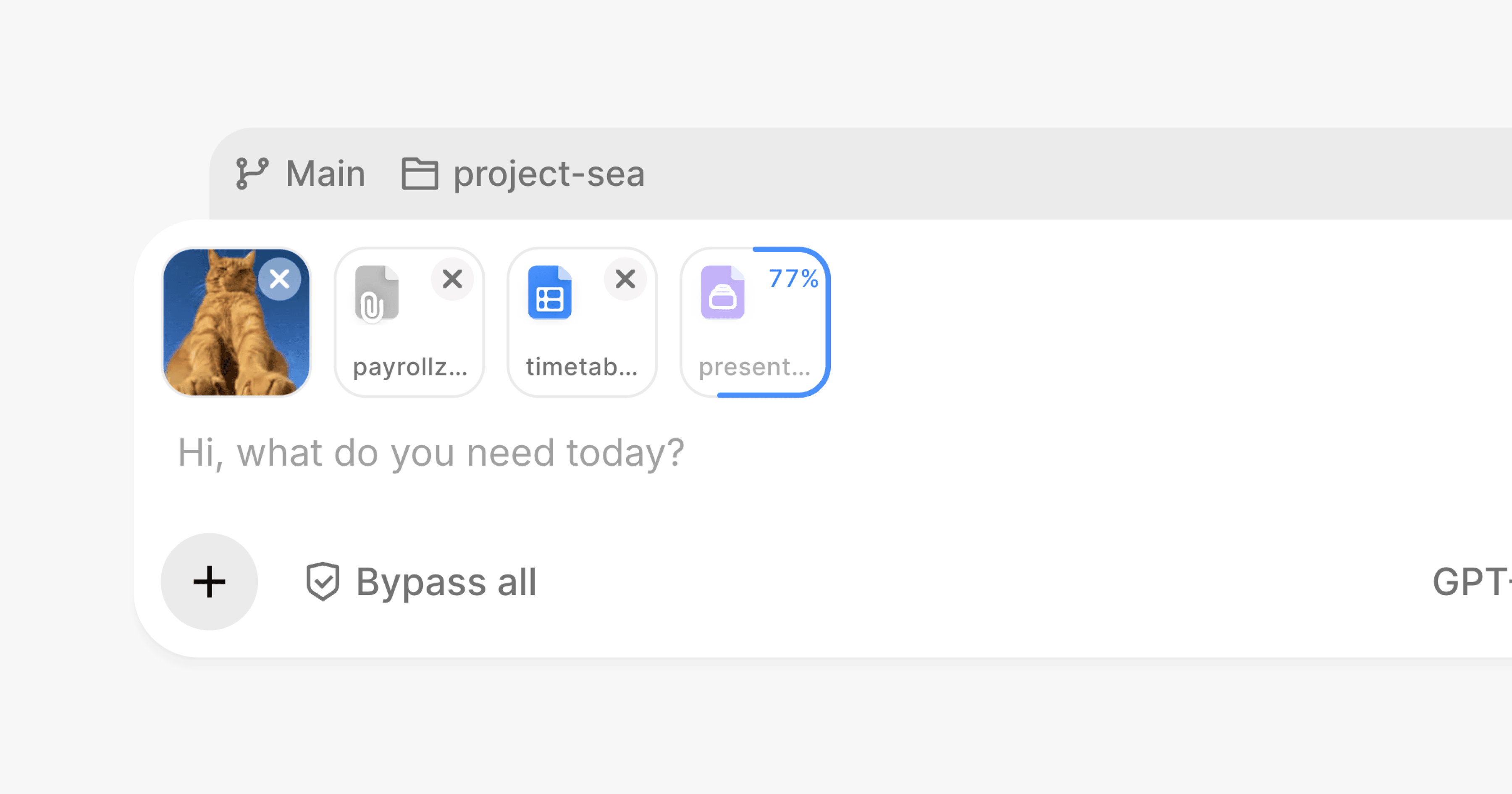
The template above is BoardUI's multi-agent chat, not a dashboard, and it's the reason we'd pick BoardUI for a dashboard that sits next to an AI or agent product. Its dashboards and its AI screens are built from the same components, sidebar and tokens, so a chat screen and a revenue chart can live in one app.
We make BoardUI, a React design system for agentic products. It has six admin dashboards: a general admin dashboard, finance, marketing, HR, a medical patient view and a kanban project board. Five more templates cover AI products: AI chat, multi-agent chat, image generation, an AI usage profile and the free Chat Starter.
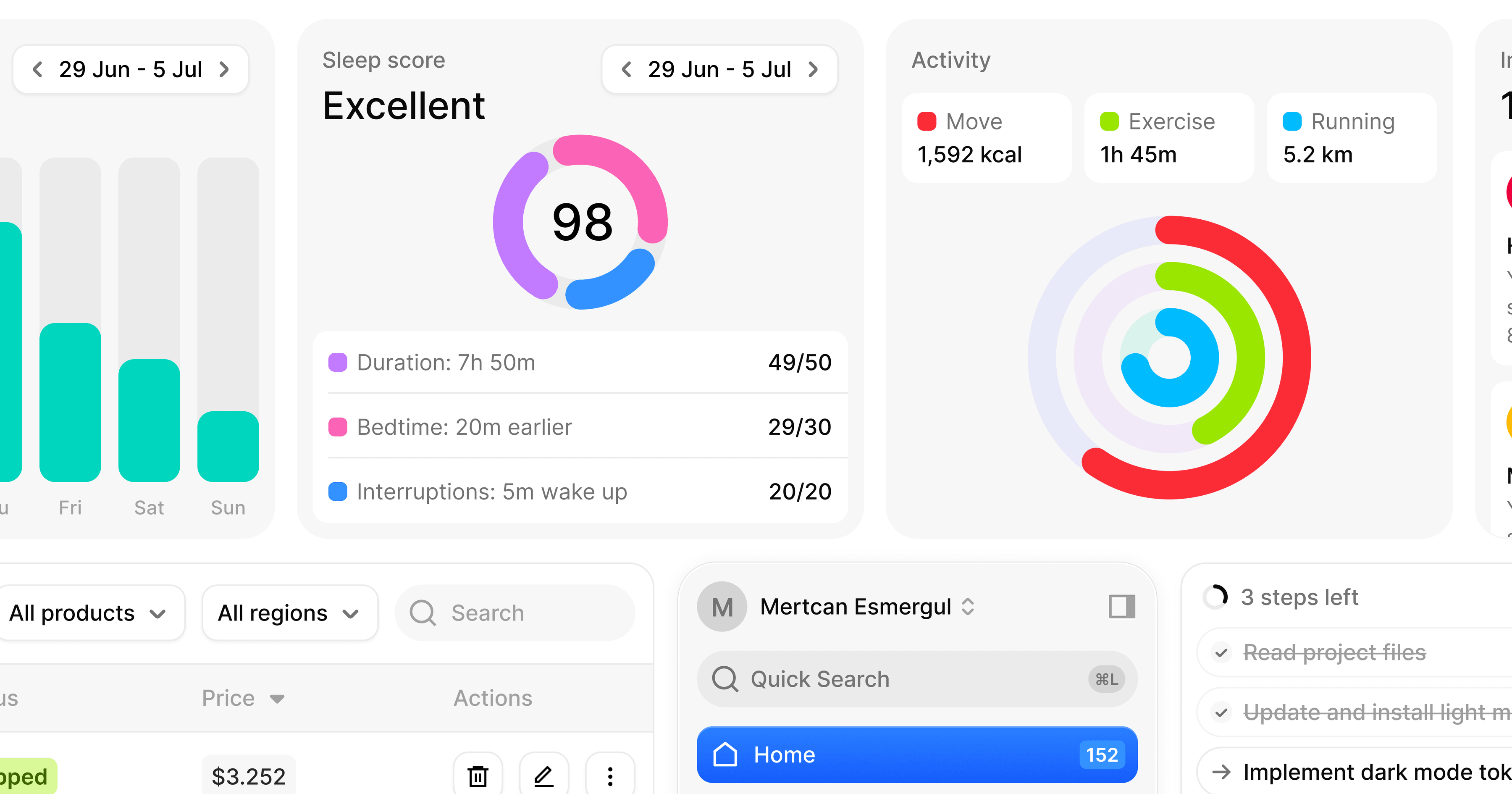
Each template is one Next.js App Router page on React 19, Tailwind CSS v4 and React Aria Components, with charts in Recharts and tables on TanStack Table. The finance dashboard below is live too, so click around.
The charts go well past line and bar: a cash-flow sankey, an acquisition funnel, a hiring pipeline, heatmaps and activity rings, all drawn from BoardUI's set of 19 chart cards. Around them you get:
- An app shell you keep: a collapsible sidebar with a team switcher, quick search, a notification center and a settings dialog.
- The same parts as the rest of BoardUI, including a data table on TanStack Table and a data grid with editable cells, so the pages you add later match the template.
- Themes and direction from one source: light and dark come from the same tokens, and the templates lay out right to left for Arabic and Hebrew.
- Install with the CLI or your coding agent:
npx boardui@latest add template-financewrites the page and its components into your repo, and BoardUI's MCP server lets Claude Code or Cursor do the same.
Pro is paid once: €149 with a year of updates, €199 for lifetime updates, or €349 for up to five developers. Every tier includes every template.
Pros
- Templates and components come from one system, so the screens you add match
- Charts past line and bar, ready to use
- React Aria handles keyboard and focus in menus, selects and dialogs
- You pay once, and build as many end products as you like
Cons
- Every dashboard template needs Pro; the free template is Chat Starter, a chat app
- Built for Next.js, so a Vite app needs its routing and fonts moved by hand
- No Figma kit for customers
- The dashboards ship without sign-in pages; you add them from the separate Auth Card component
On contrast, our own demo did worse than any other here. axe flagged 57 elements on the admin dashboard, all for text contrast. Gray sidebar labels on the gray sidebar measured 4.42:1, just under the 4.5:1 that WCAG AA asks for. The chart axis labels and table headers measured 2.41:1. Otherwise the page weighed 1,365 KB and folded into one column at phone width with nothing cut off.
2. shadcn/ui dashboard block
- Website
- ui.shadcn.com
- GitHub
- shadcn-ui/ui
- GitHub stars
- 129k
- npm downloads
- 17.9M/week (CLI)
- License
- MIT
- Pricing
- Free
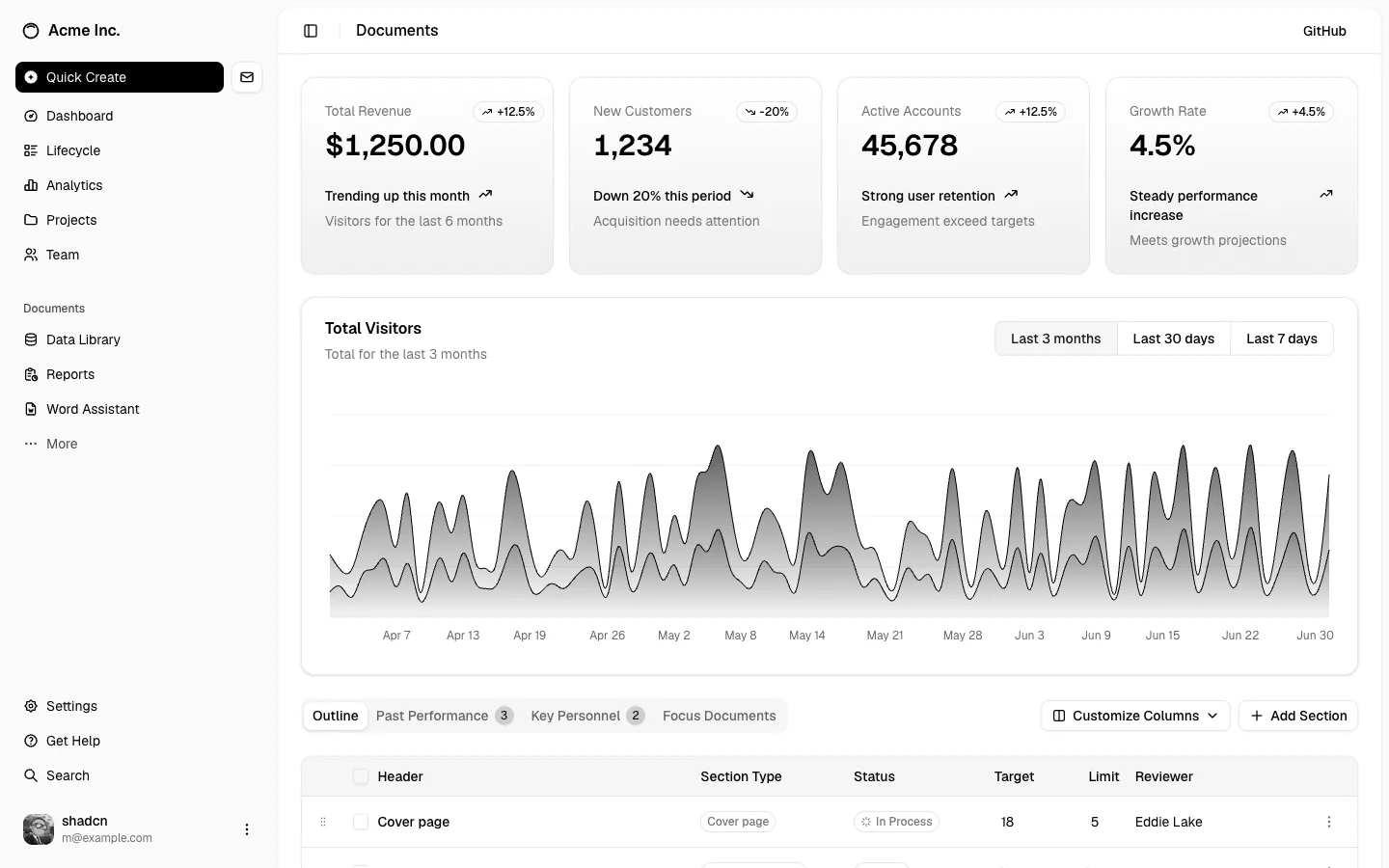
You get one page from shadcn/ui, and it's a well-made one. dashboard-01 is the only dashboard among its blocks, the copy-in layouts that sit next to its components: a collapsible sidebar, four KPI cards, an interactive area chart and a data table whose rows you drag to reorder.
npx shadcn@latest add dashboard-01 copies the page and its components into your repo. They're styled with Tailwind CSS v4 on whichever headless base you chose at setup: Radix, Base UI (the default since July 2026) or React Aria. The chart is Recharts and the table is TanStack Table. Dark mode works out of the box, right-to-left support arrived in January 2026, and npx shadcn@latest mcp lets your coding agent browse and add blocks.
Everything past this one page is yours to design. The repo helps with 16 sidebar blocks and five login and five signup blocks, and shadcn-admin, at number 5, assembles the same components into a whole app.
Pros
- MIT licensed, and the code lives in your repo
- The largest community here, at 129k GitHub stars
- No accessibility issues in our scan
- Sidebar, login and signup blocks to build the rest
Cons
- One dashboard page, so you design every other screen
- No official Figma file, only community kits
- The heaviest demo page we measured
It was one of only two demos axe didn't flag at all. It was also the heaviest page we loaded, 2,638 KB over 118 requests, though that page runs inside the shadcn/ui site rather than as a build of your own.
3. Untitled UI React
- Website
- untitledui.com
- GitHub
- untitleduico/react
- GitHub stars
- 2.0k
- npm downloads
- 6.0k/week (CLI)
- License
- MIT free tier, commercial PRO
- Pricing
- Free components; PRO from $349, one-time
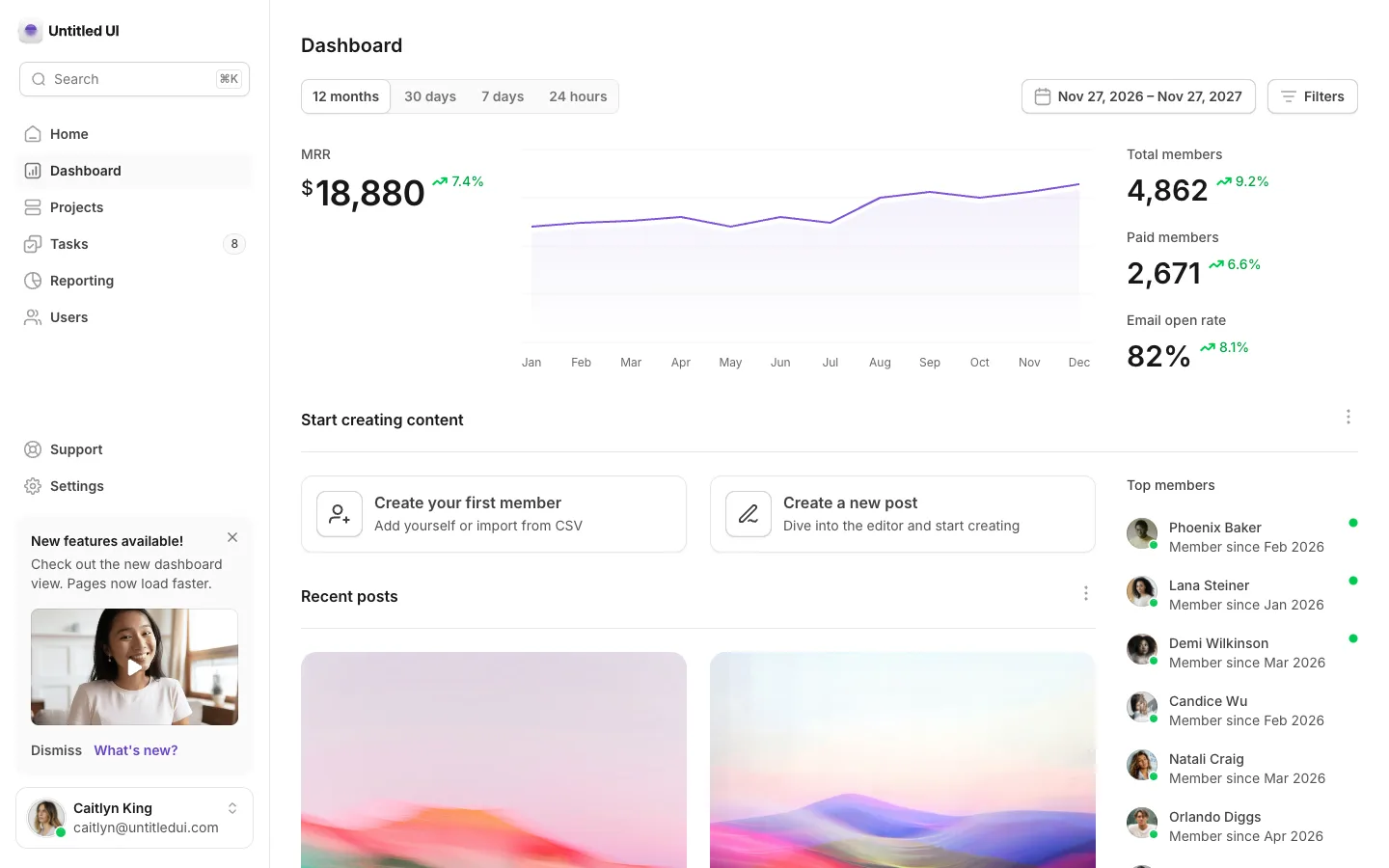
Untitled UI has more dashboard layouts than anything else on this list. Its Dashboards page shows 19 variants of one layout, and Untitled UI counts 60 dashboard page examples among more than 250 pages. All of the dashboards are PRO.
The library started as a Figma kit. The React version builds the same designs on React Aria Components and Tailwind CSS v4, with starters for Next.js and Vite.
- React Aria Components underneath, so keyboard, focus and screen reader behavior come from Adobe's library.
- Recharts for charts, on React 19.3, Tailwind CSS 4.3 and TypeScript.
- A matching Figma kit, sold separately from $129.
- Agent support: an HTTP MCP server, an llms.txt and an AGENT.md file, though page templates through the MCP need a PRO key.
PRO is priced by seat and paid once: $349 for one developer, $999 for up to eight, $2,499 for up to 20 and $8,999 for unlimited.
Pros
- More dashboard layouts than any other option here
- Designers and developers work from the same design
- React Aria handles keyboard and focus
- Unlimited projects, paid SaaS included
Cons
- Every dashboard needs PRO, $349 for one developer
- The Figma kit is a separate purchase
- The license bars using it in app or website builders, or in templates for resale
In our scan, the live dashboard 01 page weighed 1,306 KB. axe flagged seven elements: four green percentage changes at 3.24:1 contrast, a close button with no name, an avatar without alt text and one invalid ARIA reference.
We'd buy it if our designers already worked in its Figma kit. Otherwise $349 per developer is a big outlay next to TailAdmin and Minimal, which start at $59 and $69.
4. TailAdmin React
- Website
- tailadmin.com
- GitHub stars
- 1.3k
- License
- MIT free version, commercial Pro
- Pricing
- Free; Pro from $59, one-time
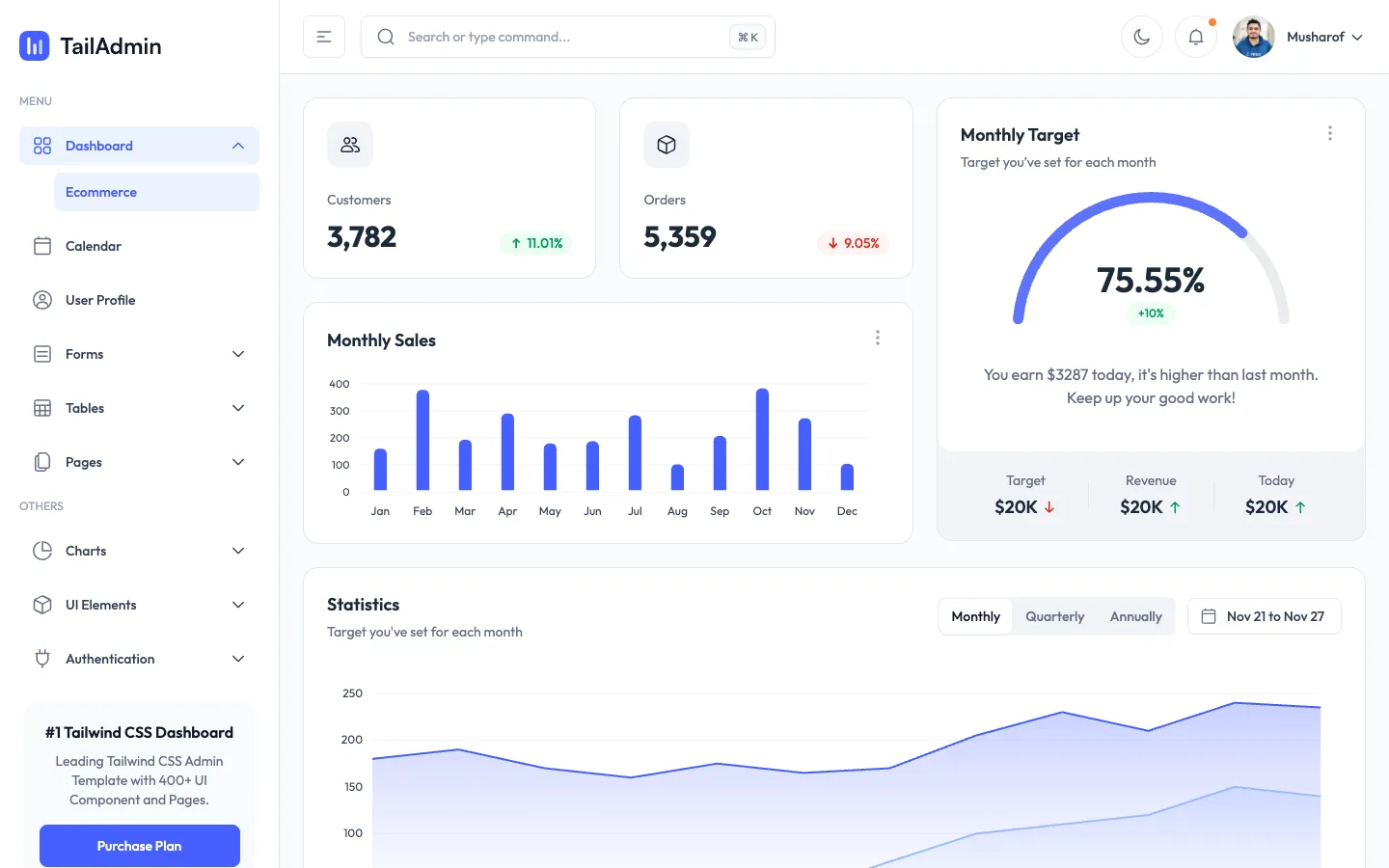
TailAdmin gives away a working app. Its free version, under MIT, has an eCommerce dashboard, a calendar, a profile page, forms, tables, charts and sign-in pages, and at 774 KB its demo was the lightest free one here after shadcn-admin.
The React version runs on Vite 8, React 19.2, Tailwind CSS 4.3 and Base UI with React Router. TailAdmin sells the same design for other frameworks too, and the React one ranks near the top of Google for "react dashboard templates".
Pro adds more dashboards: the site lists 10 and the README seven. Charts use ApexCharts and tables use TanStack Table. Dark mode and right-to-left are both there, with RTL improved in version 2.5.1. A free Community Edition of the Figma file comes with it, and the full file comes with the Business and Extended licenses. For coding agents, there's an AGENTS.md in the repo and an llms.txt on the site.
Prices are the lowest here, paid once, with a cap on projects at the lower tiers: $59 for one seat and three projects, $119 for three seats and ten projects, and $299 for ten seats, unlimited projects and SaaS.
Pros
- The cheapest paid option here
- A free version complete enough to start a real app
- A current stack on Vite, React 19 and Tailwind CSS v4
- The lightest free demo after shadcn-admin
Cons
- A SaaS product needs the $299 Extended license
- The $59 and $119 tiers cap you at three and ten projects
- The React version runs on Vite; the Next.js version is a separate product
The Pro demo weighed 1,761 KB. On the free demo, axe flagged 17 elements: 12 text-contrast failures, such as green "Delivered" badges at 3.53:1, and five icon buttons with no name.
For a Vite project on a small budget, it's a practical place to start. Just plan for the $299 license if you're building a SaaS.
5. shadcn-admin
- Website
- shadcn-admin.netlify.app
- GitHub
- satnaing/shadcn-admin
- GitHub stars
- 17.0k
- License
- MIT
- Pricing
- Free
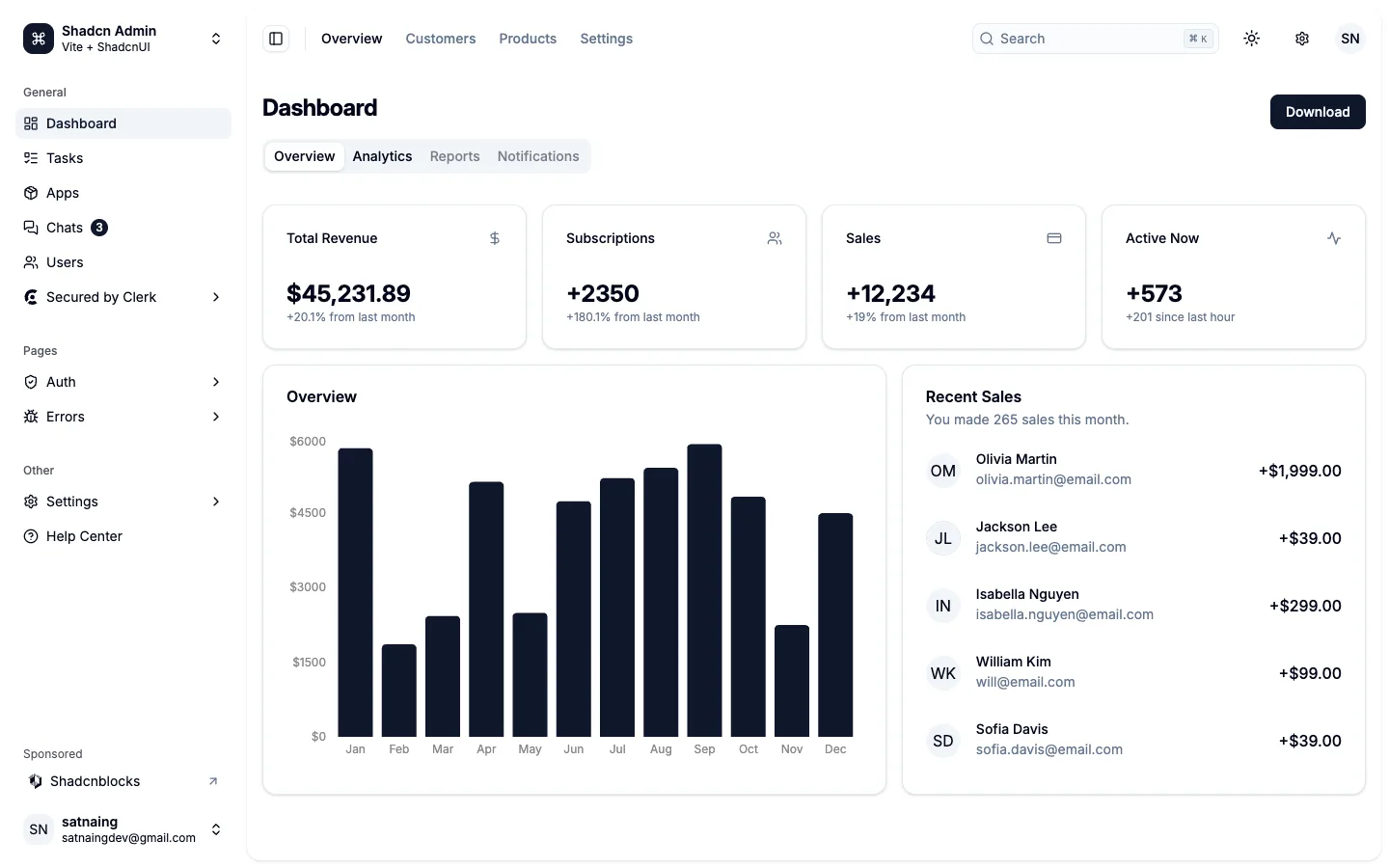
Of all the demos we opened, shadcn-admin impressed us most. At 480 KB it was comfortably the lightest, and axe didn't flag a single issue.
Sat Naing built it as a whole admin app out of shadcn/ui. Where the official block has one page, this Vite app has more than ten: a dashboard, tasks, apps, chats, users, settings, sign-in and error pages, plus a command menu that searches all of them. It runs React 19.2, Tailwind CSS 4.2, TanStack Router and Radix, with Recharts, TanStack Table, dark mode and right-to-left. Some sign-in pages are wired to Clerk.
The main concern is maintenance. One developer maintains it, and the README says it isn't intended as a starter template. Its components are also modified, including for right-to-left support, so updates from the shadcn/ui CLI won't apply cleanly. You'll be merging those by hand. There's no Next.js version either.
TailAdmin or shadcn-admin? Both are free Vite apps on React 19 and Tailwind CSS v4. shadcn-admin is lighter, came back clean in our scan and uses components many React developers already know. TailAdmin is a commercial product rather than one person's project, with a paid tier to grow into that adds more dashboards and the full Figma file.
6. Minimal
- Website
- minimals.cc
- License
- MUI Store license; free version MIT
- Pricing
- $69 to $599, one-time
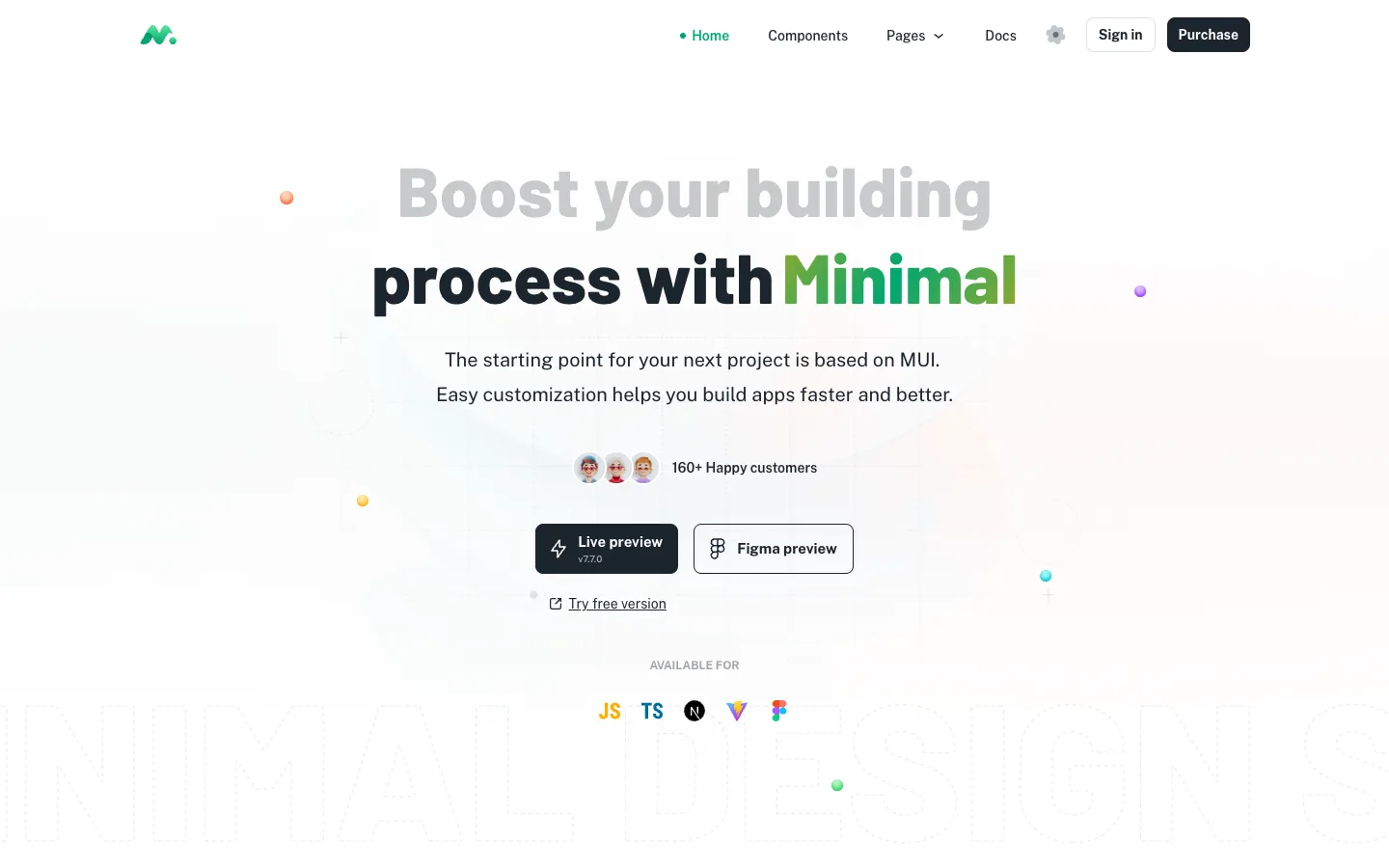
Minimal's demo opens on a sign-in page with demo credentials filled in, so it's one of the two we didn't measure. What we can say is how well it sells: it's the bestselling template on MUI Store, the official marketplace for Material UI themes, with 17,812 sales and a 4.91 rating.
Version 7.7.0, from 11 May 2026, runs React 19 and MUI v9, in a Next.js 16 App Router version and a Vite 8 version. It has seven dashboards among more than 70 pages, with ApexCharts, dark mode and right-to-left. The detail we'd value most is sign-in, which already works with five providers: JWT, Firebase, Amplify, Auth0 and Supabase.
There are three licenses, all paid once: $69 Standard, $129 Standard Plus, which adds the Figma file, and $599 Extended. Berry and Mantis, the next two MUI Store dashboards by sales, sell at the same prices.
Pros
- Sign-in wired to five providers out of the box
- Seven dashboards from a well-reviewed seller
- Next.js and Vite versions
Cons
- Charging your users needs the $599 Extended license
- TypeScript only from the $129 tier
We'd skip Minimal Free, the separate free version. It was last updated in April 2025 and still runs MUI v7.
7. MUI Dashboard template
- Website
- mui.com
- GitHub
- mui/material-ui
- GitHub stars
- 99.4k
- npm downloads
- 14.2M/week (@mui/material)
- License
- MIT
- Pricing
- Free
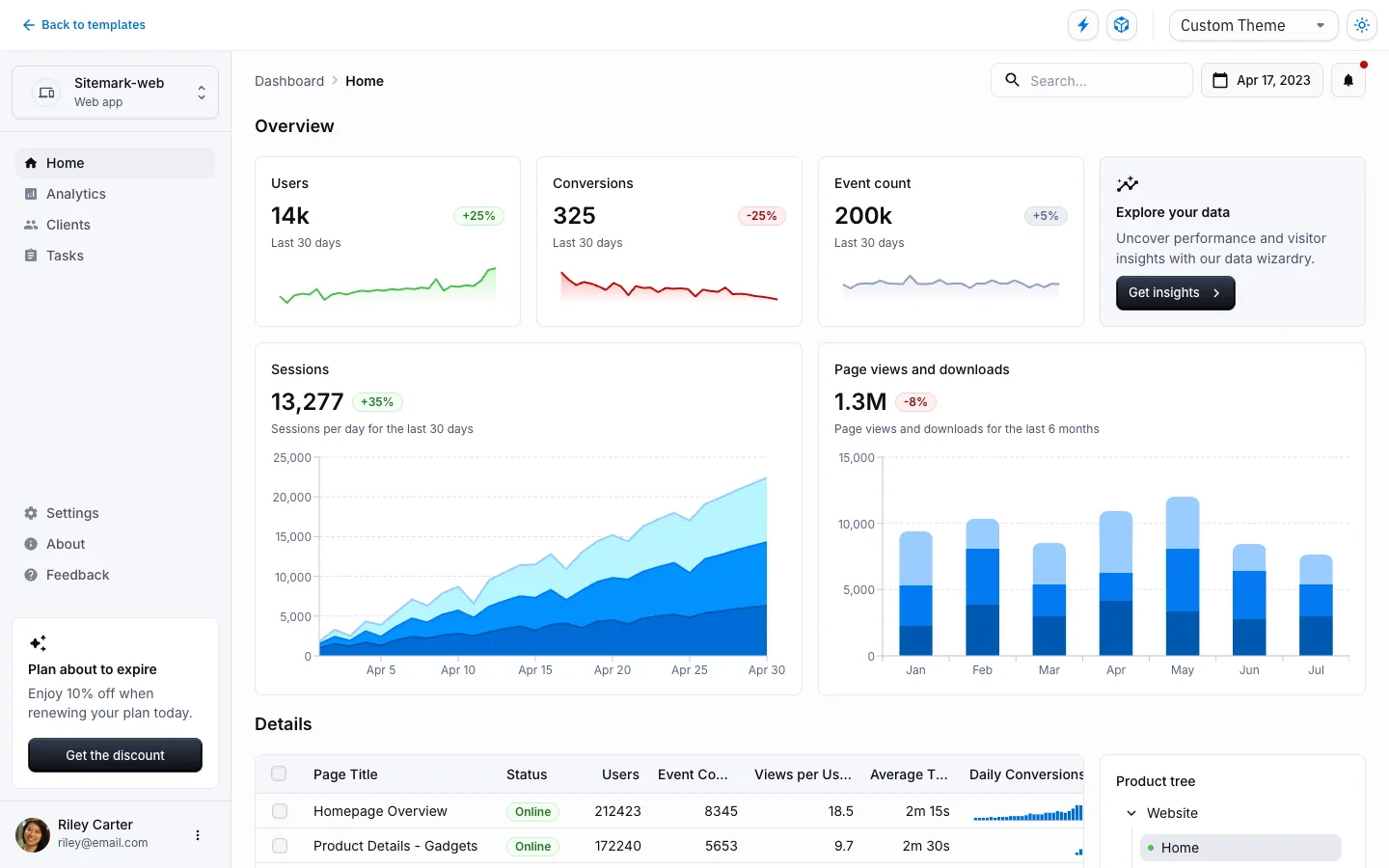
MUI's own free Dashboard template is the one to weigh Minimal against. You get one good page and MUI X for free, where Minimal brings seven dashboards and working sign-in from $69.
The Home page shows off MUI X: KPI cards with sparklines, a sessions chart, a page views chart and a data grid, built on MUI X Charts, the free MIT edition of Data Grid, Date Pickers and Tree View. It's also the only finished page. Analytics, Clients and Tasks sit in the navigation as placeholders, which was a small letdown after a polished first screen.
There's no CLI, so you copy the source from the material-ui repository, and the look is Material unless you retheme it. It has light and dark modes, plus a switch between MUI's default theme and a custom one. Sign-in, sign-up and a CRUD dashboard come as separate free templates in the same style. For coding agents, MUI publishes its official @mui/mcp server, an llms.txt and an AGENTS.md.
It was one of the cleaner demos: 1,644 KB, and axe flagged only two elements, the theme select and an icon button with no accessible name.
8. Ant Design Pro
- Website
- pro.ant.design
- GitHub stars
- 39.0k
- npm downloads
- 5.1M/week (antd)
- License
- MIT
- Pricing
- Free
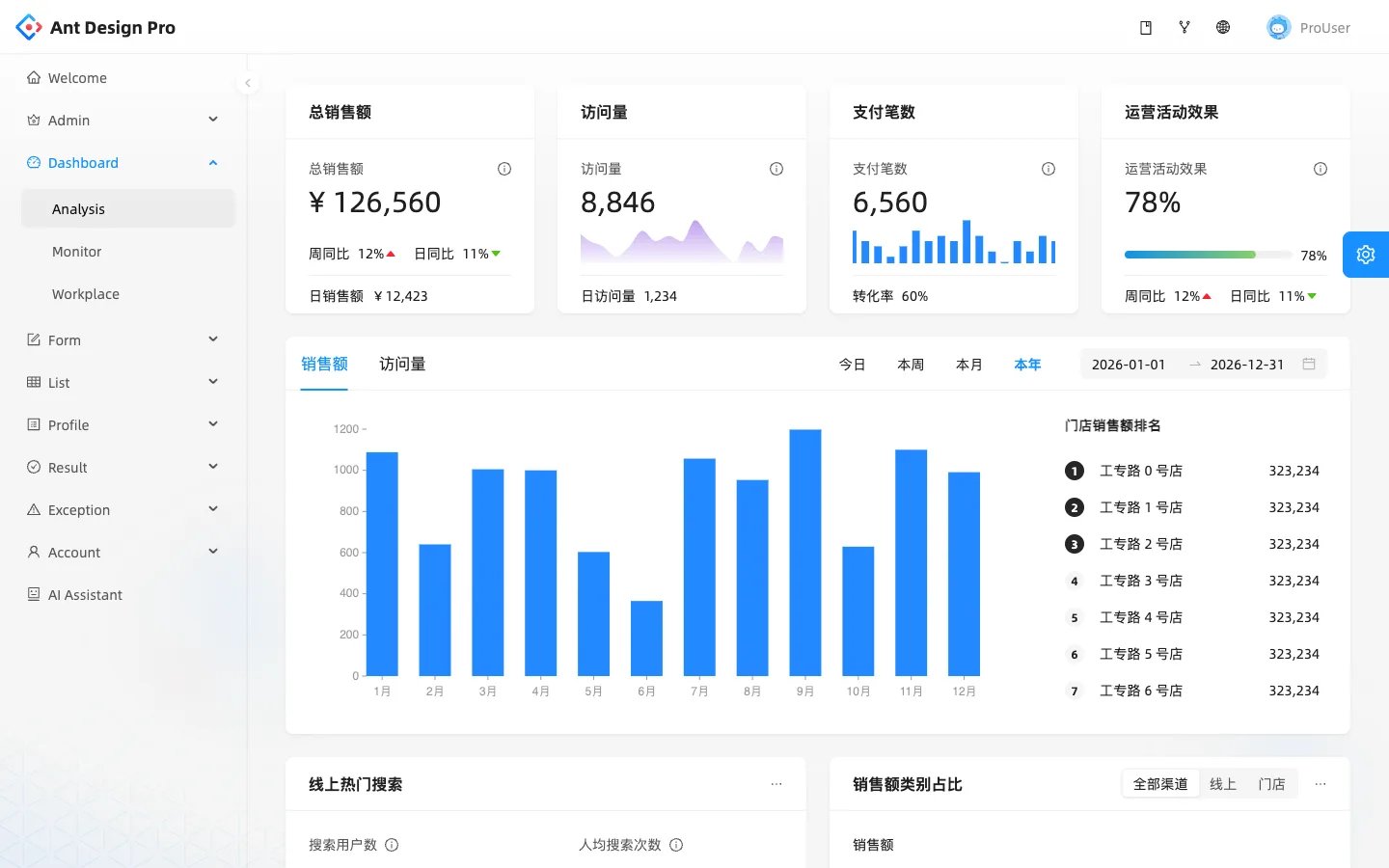
Even with its menu in English, Ant Design Pro's Analysis dashboard kept its labels in Chinese, which made it the hardest demo here to read. Underneath is a serious admin template from Ant Group, on Umi Max 4, React 19.3, Ant Design 6 and ProComponents 3, with Tailwind CSS v4 next to antd-style. It ships 24 page templates:
- Three dashboards: Analysis, Monitor and Workplace.
- Data screens: forms, lists and profiles.
- Status pages: results and exceptions.
- Account pages: account, login and register.
- An AI chatbot page, built with Ant Design X.
ProComponents does much of the work, since its tables, forms and layouts are built for data-heavy admin screens. Charts come from @ant-design/plots, and translations and light and dark themes are built in. For coding agents there's Ant Design's MCP through @ant-design/cli, an llms.txt, and AGENTS.md and CLAUDE.md files in the repo.
Pros
- Free, with more page templates than any other free option here
- ProComponents cut the code for tables and forms
- An AI chat page next to the dashboards
Cons
- Built on Umi, so routing and builds don't follow Next.js or Vite
- The Analysis dashboard's labels stayed in Chinese
- Its demo stops phone users from zooming in
The Analysis demo weighed 1,786 KB, and axe flagged 22 elements under seven rules: 15 text-contrast failures, tab lists missing required ARIA roles, a progress bar with no name and a viewport setting that stops phone users from zooming in.
Moving its pages into a Next.js or Vite app means reworking routing and the build first.
9. react-admin
- Website
- marmelab.com
- GitHub
- marmelab/react-admin
- GitHub stars
- 27.0k
- npm downloads
- 211k/week
- License
- MIT; paid Enterprise Edition
- Pricing
- Free; Enterprise from €145 a month
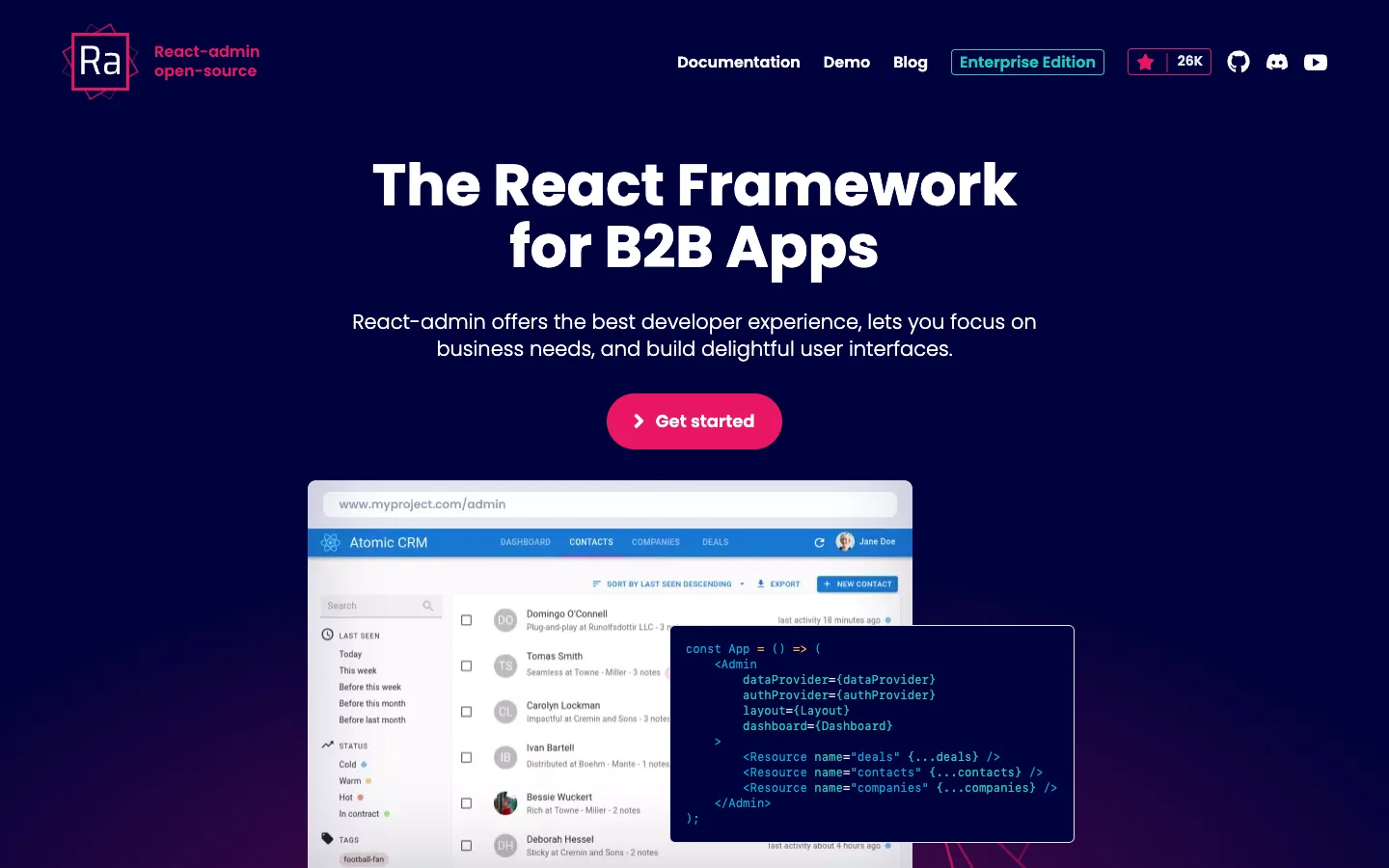
For an internal tool, react-admin can save more code than any template on this list. It's an admin framework. You describe your resources and connect it to a REST or GraphQL API through a data provider, and it builds the list, show, edit and create screens, with filters and pagination, on MUI by default. Its maker, Marmelab, also offers Shadcn Admin Kit, which puts the same framework on shadcn/ui and Tailwind CSS 4.2.
Three demo apps show what it can do: an e-commerce admin, a CRM called Atomic CRM and a help desk. They open on a sign-in page with the demo credentials shown, so we didn't measure them. The repo carries an Agents.md, a CLAUDE.md and agent skills, and the latest release came out on 13 November 2026.
What it won't build is the dashboard itself. The page with the charts is yours, and the Enterprise Edition is a monthly subscription from €145.
10. CoreUI React
- Website
- coreui.io
- GitHub stars
- 5.0k
- npm downloads
- 105k/week (@coreui/react)
- License
- MIT free version, commercial PRO
- Pricing
- Free; PRO from $69
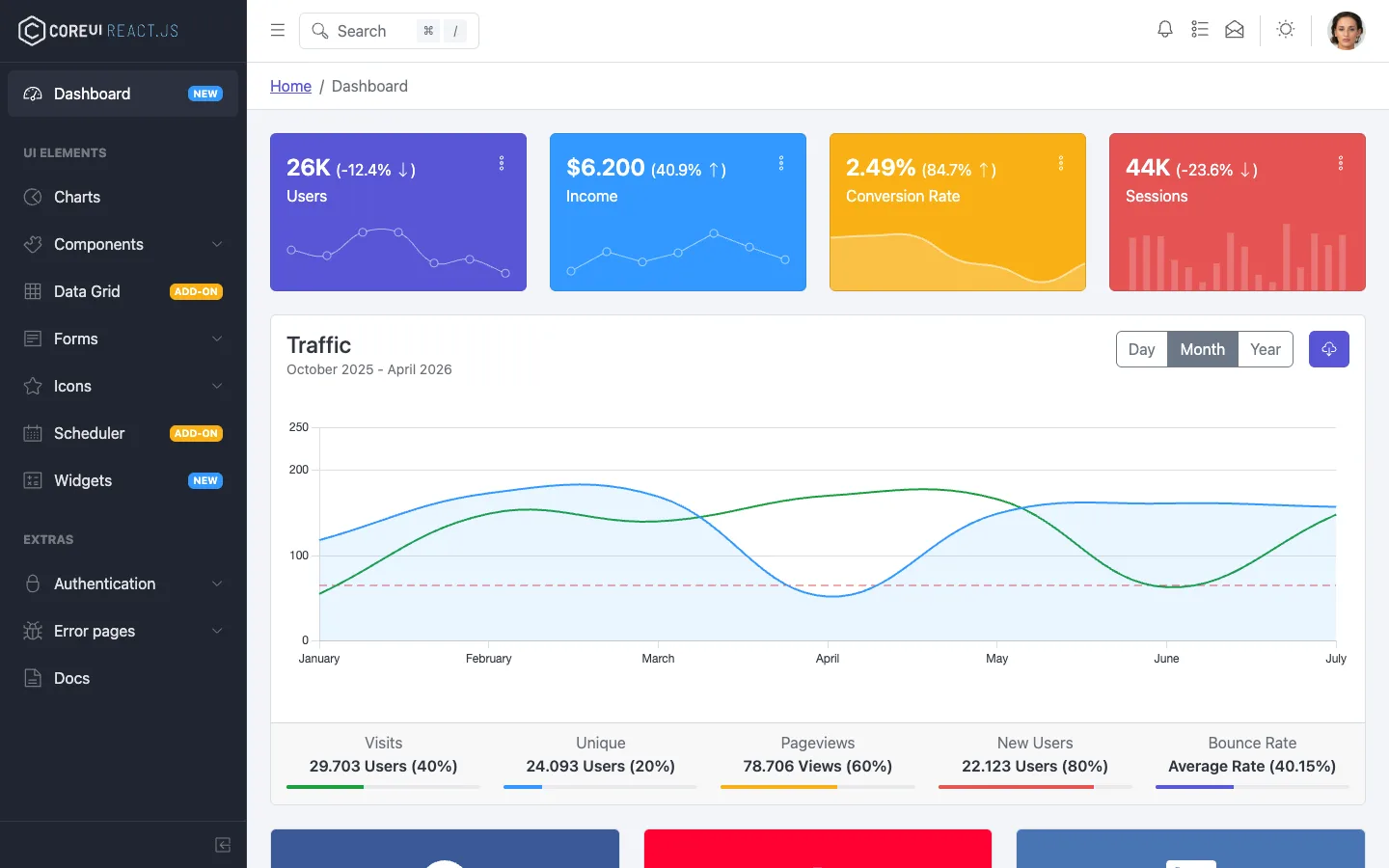
CoreUI is the only Bootstrap template here: Bootstrap 5 with Sass, on Vite 8, React 19.3 and Chart.js. The free template has one dashboard, widgets, six sign-in and sign-up views, and 404 and 500 pages. It's written in JavaScript, so a TypeScript team has some converting to do. PRO adds four themes, each with a right-to-left version, and the demo's menu lists add-ons such as a data grid and a scheduler. For agents, CoreUI publishes @coreui/docs-mcp and an llms.txt.
Pros
- A free dashboard for Bootstrap teams
- RTL versions of every PRO theme
- 5.0k stars on the free template, last released in August 2026
Cons
- The free template is JavaScript, not TypeScript
- Prices differ across CoreUI's own pages, from $69 per project to $127 a year per developer
- The most accessibility issues of any demo we measured
Its demo disappointed us most on accessibility. axe flagged 77 elements under eight rules, more than any other, including 31 progress bars with no name, 14 text-contrast failures, seven unnamed icon buttons and seven avatars without alt text. The page itself weighed 1,049 KB.
Which React dashboard template should you choose?
Start from what your app already runs on. Switching UI libraries to suit a template usually costs more than the template saves, and that narrows things quickly: MUI apps have Minimal and MUI's own template, Bootstrap teams have CoreUI, and Ant Design teams have Ant Design Pro. Tailwind CSS projects have the widest choice, from the free shadcn/ui block and shadcn-admin to TailAdmin, Untitled UI React and BoardUI.
Whichever you pick, run axe again after you apply your own brand colors. A template that passes a scan out of the box can fail WCAG AA once the colors change, and most of these didn't pass out of the box. Six of the eight demos we measured, ours included, had text that failed contrast or controls with no accessible name. Only the shadcn/ui block and shadcn-admin came back clean.
Frequently asked questions
What is the best React dashboard template in 2026?
For AI-focused products we recommend BoardUI, which we make, because its dashboards share one design system with its AI interface templates. For a free starting point, the shadcn/ui dashboard block (one page in your repo) and shadcn-admin (a whole app) are the better fit. TailAdmin has the most pages for the least money, and Untitled UI React has the most dashboard layouts.
Are there free React dashboard templates?
Yes. The shadcn/ui dashboard block, shadcn-admin, MUI's Dashboard template and Ant Design Pro are free and MIT licensed, and react-admin's core is too. TailAdmin and CoreUI each have a free version with one dashboard. BoardUI's free template is Chat Starter, a chat app, and its dashboards need Pro.
What's the best Next.js dashboard template?
BoardUI and the shadcn/ui block are built for the Next.js App Router. Minimal and Untitled UI React ship Next.js versions or starters too. shadcn-admin, TailAdmin's React version and CoreUI run on Vite, and Ant Design Pro runs on Umi.
Which React dashboard templates use Tailwind CSS v4?
BoardUI, the shadcn/ui block, Untitled UI React, TailAdmin and shadcn-admin all use Tailwind CSS v4. Ant Design Pro adds Tailwind CSS v4 next to Ant Design's own styles. Minimal and MUI's template use MUI's styling, and CoreUI uses Bootstrap.
Can I use a dashboard template in a commercial SaaS?
The MIT options, shadcn/ui, shadcn-admin, MUI's template, Ant Design Pro and react-admin, allow it. Among the paid ones:
- BoardUI: any license covers unlimited end products, paid SaaS included.
- Untitled UI React: allows paid SaaS as long as you don't expose its source files.
- TailAdmin: SaaS needs the $299 Extended license.
- Minimal: needs the $599 Extended license once you charge your users.
None of the paid licenses let you resell the template itself.
Which chart library do React dashboard templates use?
Recharts is the most common: BoardUI, the shadcn/ui block, Untitled UI React and shadcn-admin use it, and MUI's template uses MUI X Charts. TailAdmin and Minimal use ApexCharts, CoreUI uses Chart.js, and Ant Design Pro uses @ant-design/plots.
Which dashboard template works best with Claude Code or Cursor?
Templates whose source lands in your repo, such as BoardUI, the shadcn/ui block and Untitled UI React, are the easiest for a coding agent to edit. BoardUI, shadcn/ui, Untitled UI React, MUI, Ant Design and CoreUI each publish an MCP server, so an agent can look up components and examples. BoardUI's and shadcn/ui's can also install them for the agent.

Build dashboards and agentic interfaces with BoardUI
105 React and Tailwind CSS components, 19 chart cards and 10 Pro templates. Install them with one command and own every line of the source.